Add audio or video
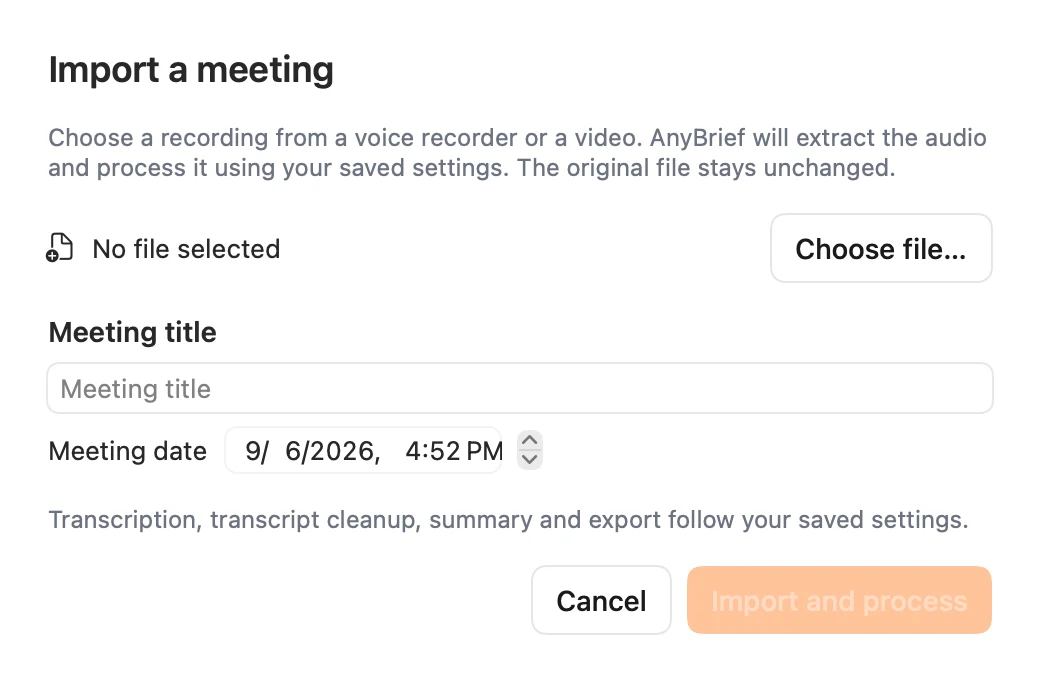
Choose a media file supported by macOS, then set a clear title and date. The original stays unchanged.
Import a call, lecture or interview. AnyBrief transcribes it locally and, when speaker separation is enabled, organizes voices into readable turns.
For macOS 14 or newer, Apple Silicon and Intel. Developer ID signed and Apple notarized.
No browser upload and no manual handoff between transcription and note-taking tools.
Choose a media file supported by macOS, then set a clear title and date. The original stays unchanged.
Use FluidAudio or whisper.cpp. Language options depend on the engine; speaker separation is configured separately.
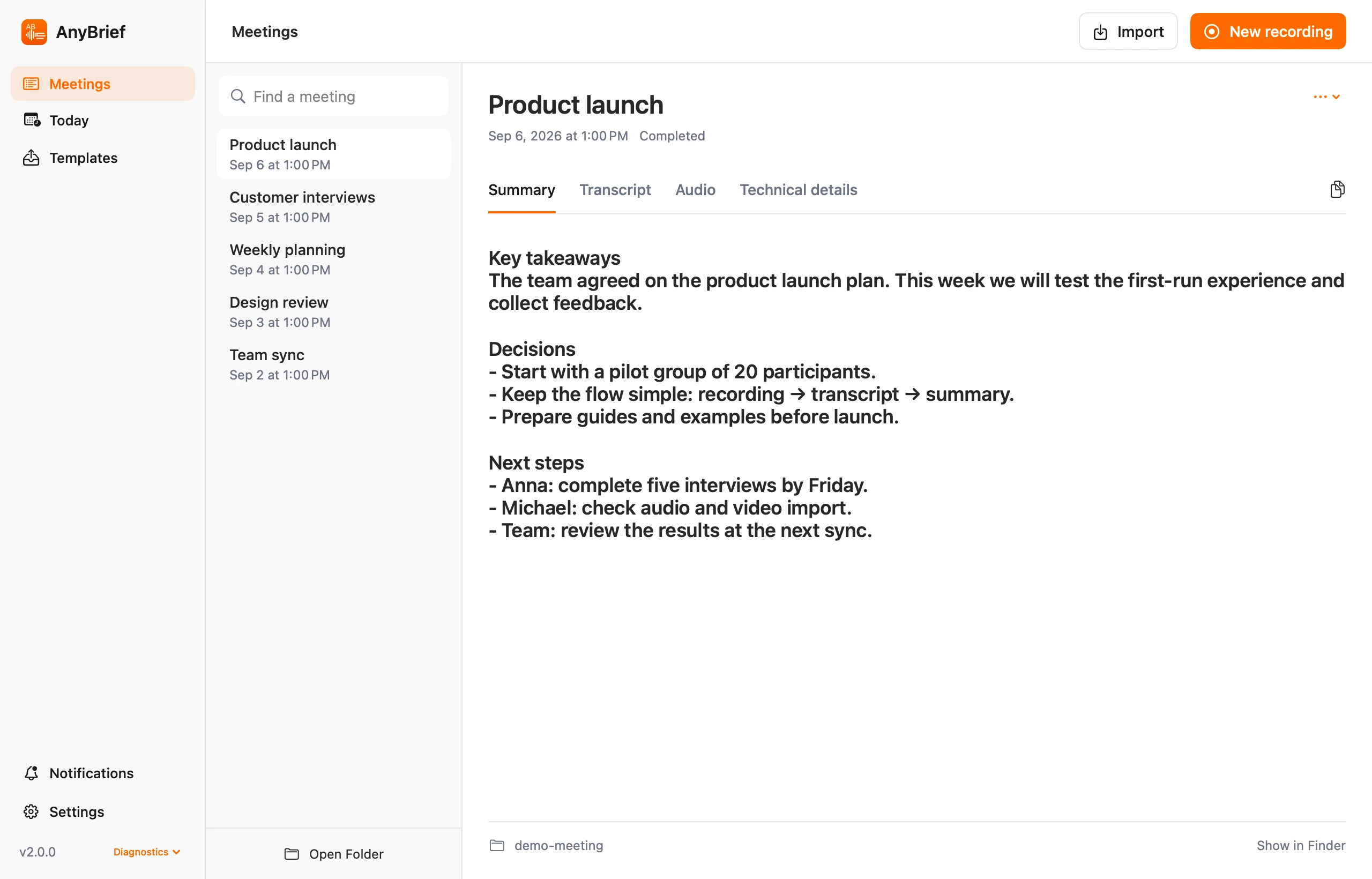
The transcript and a processed audio copy stay in the meeting; a summary is created separately when configured.
Import does not change or move the original.
transcript_raw.txt, working transcript.txt, optional summary.md, and a local archive containing processed audio and technical data.Clean the text or draft a brief, minutes or structured notes with your chosen LLM and prompt.
A summary needs a configured prompt and LLM and is created for transcripts with at least 30 recognized words. Verify ASR and LLM output against the recording.
Common examples include M4A/AAC, MP3, WAV, AIFF, FLAC, OGG and CAF, plus MOV, MP4, M4V, AVI, MPEG and 3GP files with an audio track. AnyBrief's automated tests cover M4A/AAC, WAV and MOV. Import support depends on the codec inside the file and the macOS version; a file without a readable audio track is rejected.
Yes. FluidAudio and whisper.cpp run on your Mac. For summaries, choose local Ollama or a remote provider you configure.
Yes. AnyBrief records system audio and microphone audio into separate tracks.
Install AnyBrief and import an audio or video file.